.png?width=180&height=55&name=welbi_logo_colour%20(6).png)
What This Insight Provides
The Activity Preference & Involvement Insight:
-
Summarizes a resident’s program participation over a selected time period
-
Organizes participation into interRAI-aligned activity categories
-
Displays corresponding M2 activity codes commonly used for reporting
-
Allows you to validate preference alignment before submitting documentation
-
Supports CSV export for internal tracking and interRAI documentation
How to Access the Insight
-
Navigate to Residents
-
Select a resident
-
Click on the Insights tab
-
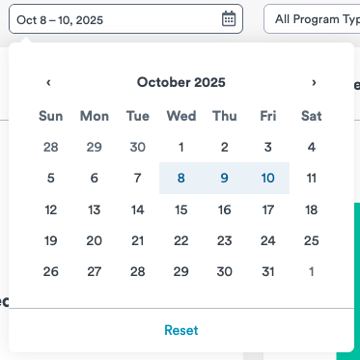
Choose your desired:
-
Look-back period (e.g., specific month or custom date range)
-
Program type (e.g., Group programs)
-
Scroll to the bottom of the Insights page and locate Activity Preference and Involvement.

Available Views
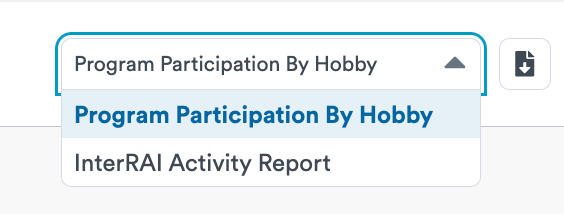
You can toggle between two reporting views using the drop-down menu:
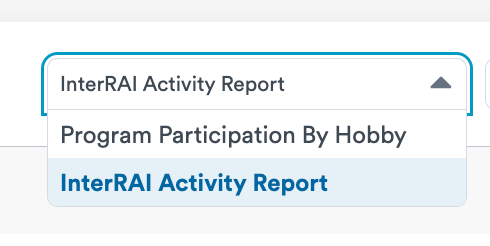
1. InterRAI Activity Report
This view:
-
Summarizes participation within interRAI-aligned categories
-
Displays corresponding M2 codes
-
Helps ensure your documentation reflects both involvement and coding standards
This report is designed to streamline interRAI preparation by organizing data in a format that aligns with Section M2 reporting requirements.
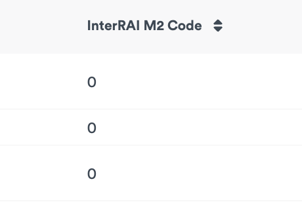
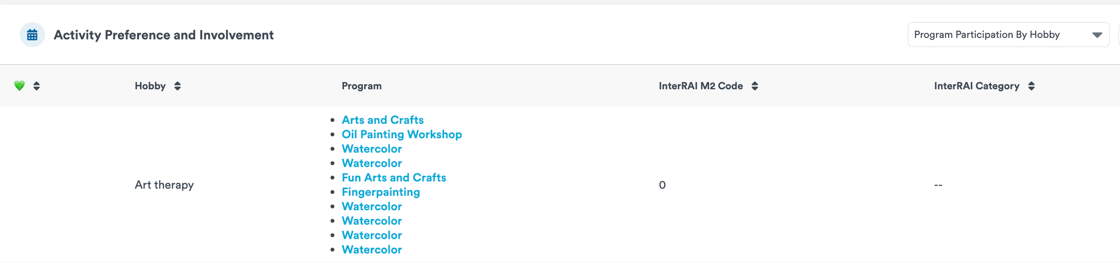
2. Program Participation by Hobby
This view allows you to drill down further by:
-
Viewing specific hobbies linked to programs
-
Confirming which programs contributed to each category
-
Validating preference alignment
You’ll notice a green heart icon (💚) in this report:
-
💚 = The program aligns with a documented resident preference
-
No heart = The program is linked to the hobby category but is not marked as a stated preference
This view is particularly helpful for auditing coding accuracy and ensuring documentation reflects true resident preferences.
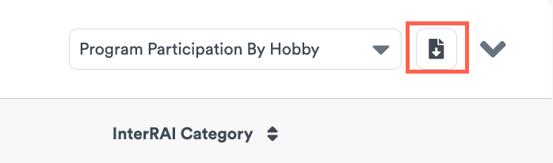
Exporting the Report
You can export either view as a CSV file for:
-
interRAI documentation support
-
Internal reporting and audits
-
Team review and quality assurance
Best Practices for Ontario LTC Teams
To ensure accurate reporting:
-
Confirm resident hobbies and preferences are up to date
-
Review preference matches before exporting reports
-
Use the hobby drill-down view to validate category mapping
-
Select the correct look-back period based on your assessment window
Questions or Feedback?
If you would like a walkthrough of the new Insight or have questions about using it for interRAI reporting, our Customer Success team is happy to help.