.png?width=180&height=55&name=welbi_logo_colour%20(6).png)
Library now includes a filter for Levels of Care
What changed
There is now a Levels of Care column and filter in the Library section of Welbi. 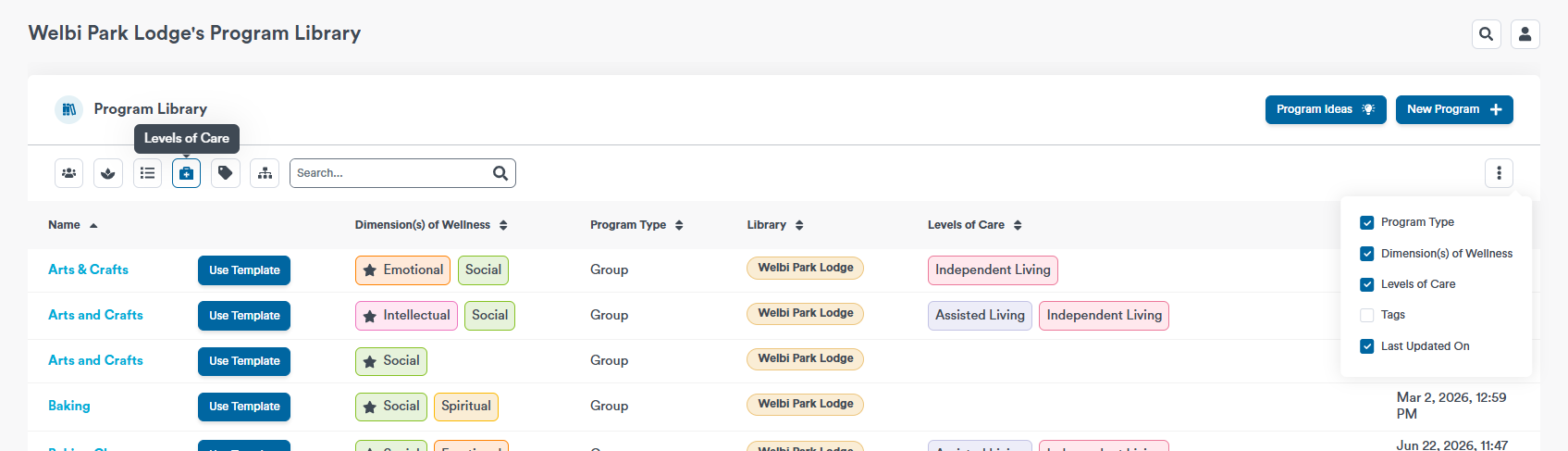
Levels of Care are now available through Welbi's public API
What changed
Customers leveraging Welbi's public API can now look up a level of care by ID and get its resolved name, colour, and abbreviation, and list every level of care a community uses. If you are interested in leveraging Welbi's API, contact support@welbi.co.
Each resident's Summary page now shows veteran information
What changed
If you have a Yes/No question in your resident profile that indicates whether residents are veterans, the answer to this question will now appear in the resident's Summary tab under Resident Information. 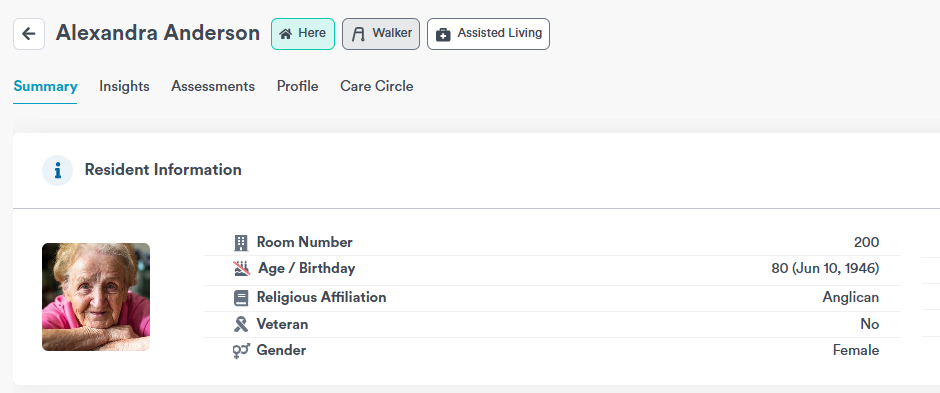
Program Fit now has a clearer explanation and a friendly empty state
What changed
Residents' AI-generated 'Program Fit' score tooltip has been reworded for improved clarity.
Weekly print calendars can show the event title in the space under the time
What changed
A new setting lets program titles on weekly print calendars use the space beneath the program's start time ("Event title uses space under time"). 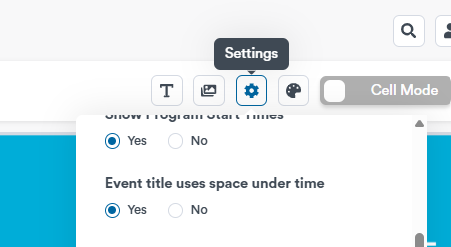
The Community Portal preview can now be expanded into its own dedicated screen
What changed
The Community Portal preview found under the Community Portal settings tab can now expanded into its own page, so Welbi users can use it to provide internal demos without also showing the settings page. If you are interested in learning more about the Community Portal, contact support@welbi.co.
Welbi now offers the option to set custom session timeout rules
What changed
Customers can now define session timeout rules such that users are signed out automatically after a specified period of inactivity. If your company is interested in implementing a custom session timeout flow, contact your Welbi Customer Success Manager.